
Video wall splitter for Mac and Windows
One wide video. Every screen of your wall.
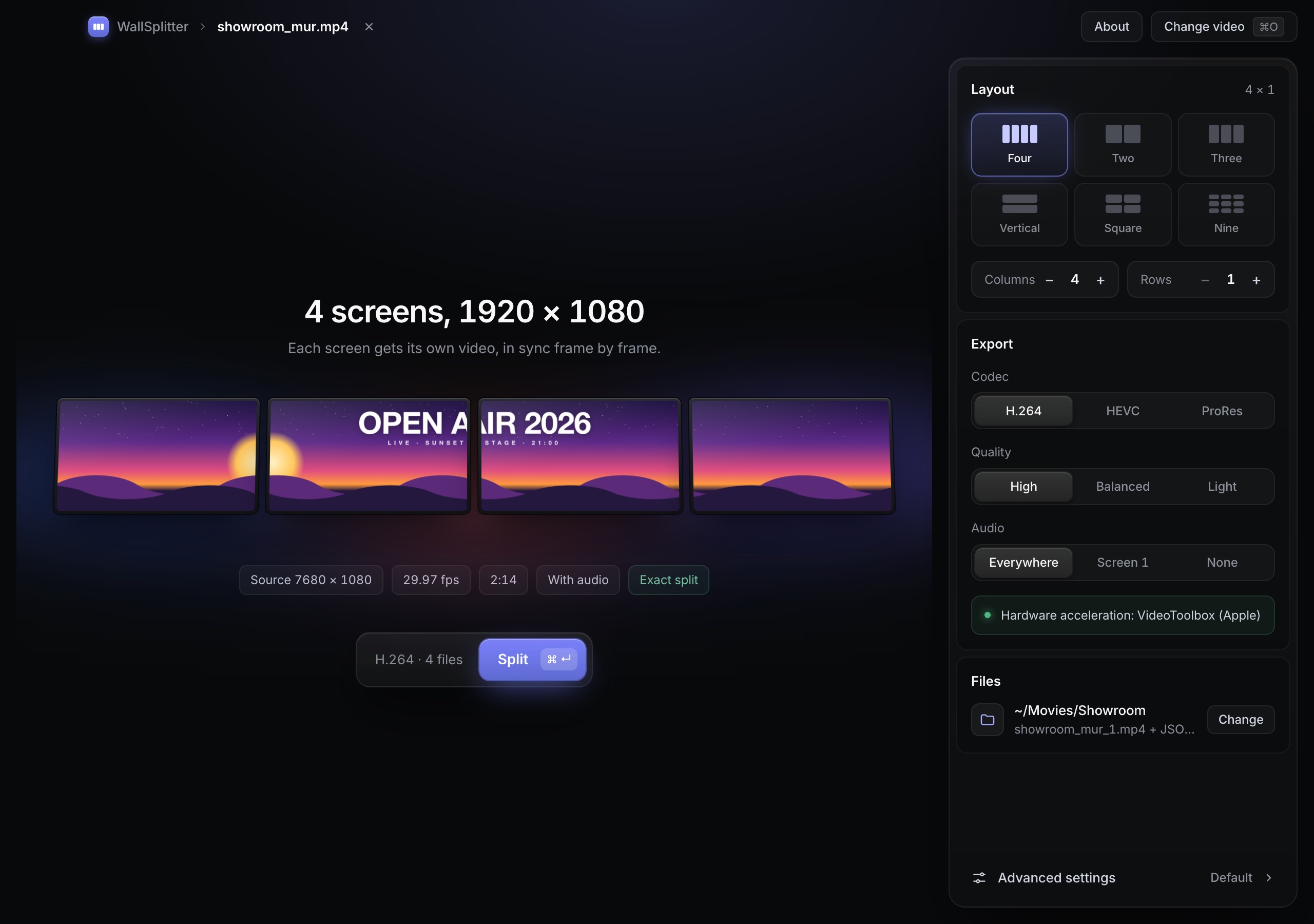
Drop your video, pick the grid, and WallSplitter writes one frame-exact file per screen. No editing timeline, nothing uploaded.
Already preparing content for real video walls
- One-time purchase
- Up to 16 × 16
- Bezel compensation
- H.264 · HEVC · ProRes
- Hardware encoding
- JSON manifest
- Works offline
From the app to the wall.
Every screen gets its own file, cut to the pixel and exactly the same length as its neighbours.
Three ways to fill a video wall.
Every signage player wants one file per screen. Here is how people usually get there.
Cut it by hand in an editor
A timeline per screen, offsets typed one by one, and everything again when the video changes.
Add a hardware controller
Hundreds of euros of hardware and an on-site setup, only to slice one picture.
Let WallSplitter do it
Pick a grid and export. Every screen gets its file in about a minute, aligned to the pixel.
Drop. Pick a grid. Split.
WallSplitter reads the video, computes every tile and encodes them all in a single ffmpeg pass.
open_air_2026.mp4
7680 × 1080 · 25 fps · 0:42
Drop your video
Resolution, frame rate and duration are read instantly.
Pick the grid
A preset or any layout up to 16 × 16, with bezels if you need them.
- open_air_1.mp41920 × 1080
- open_air_2.mp41920 × 1080
- open_air_3.mp41920 × 1080
- open_air_4.mp41920 × 1080
Get one file per screen
Same frames, same length, plus a JSON map of the wall.
Made for the people who install the walls.
Every option is here because a real installation needed it.
Any grid up to 16 × 16
4 × 1 banners, 2 × 2 squares, 3 × 3 walls, portrait stacks. Tile size is computed for you.
Bezel compensation
Pixels hidden behind screen frames are skipped, so straight lines stay straight across screens.
Frame-exact files
One decode, every tile encoded in parallel: identical frame count and duration, as sync groups require.
H.264, HEVC or ProRes
MP4 for signage players, ProRes 422 HQ for show control and post-production.
Hardware encoding
VideoToolbox on Mac, NVENC, Quick Sync or AMF on Windows, with automatic software fallback.
Resize every tile
Source too small for the wall? Each tile is scaled to the screen's native resolution in the same pass.
Audio your way
On every tile, on the first only, or removed.
Naming and manifest
Templates with {name}, {index}, {row} and {col}, plus a JSON file mapping each file to its screen.
Stays on your computer
Client content never leaves your machine. No upload, no account, no connection needed.
Standard files for any player.
- BrightSign
- Signagelive
- Yodeck
- Xibo
- OptiSigns
- Samsung MagicInfo
- Watchout
- Resolume
- USB stick
Product names are trademarks of their owners. WallSplitter is not affiliated with them.
Pay once. Keep it.
No subscription, no account. One licence for two computers.
WallSplitter
Waitlist priceone-time payment
- Mac (Apple Silicon and Intel) and Windows
- Use it on 2 computers
- Every 1.x update included
- English and French interface
- Works offline, no account
Nothing to pay today. One email on launch day.
Questions
When will WallSplitter be available?
The app already prepares content for real video walls. We are getting the public release ready: join the waitlist and you will receive one email on launch day, with the waitlist price.
Which systems are supported?
macOS 12 or later on Apple Silicon and Intel Macs, and 64-bit Windows 10 and 11.
Do I need ffmpeg or editing skills?
No. Everything WallSplitter needs is bundled. You drop a video, choose a layout and click Split.
Are my videos uploaded anywhere?
Never. Splitting happens entirely on your computer, which also means no upload time for large 8K files.
What resolutions can it handle?
Anything your computer can decode, from Full HD to 8K and ultra-wide LED canvases. If the width does not divide evenly by the number of columns, the leftover pixels are shown in red in the preview and ignored.
Does it work for LED walls?
Yes, whenever your LED wall is fed by several players or outputs. LED cabinets have no bezels, so leave bezel compensation at zero.
How do the screens stay in sync?
Playback sync is handled by your player or signage software (sync groups, leader and followers). WallSplitter makes it reliable by giving every file the same frame count and duration.
Is it a subscription?
No. You pay once and keep the version you bought, with every 1.x update included.
Can I try it first?
Yes. The free trial has every feature; exported files carry a visible watermark across the picture until you enter a licence key.
Your next wall, ready in a minute.
Join the waitlist and get WallSplitter for €29 instead of €49.